

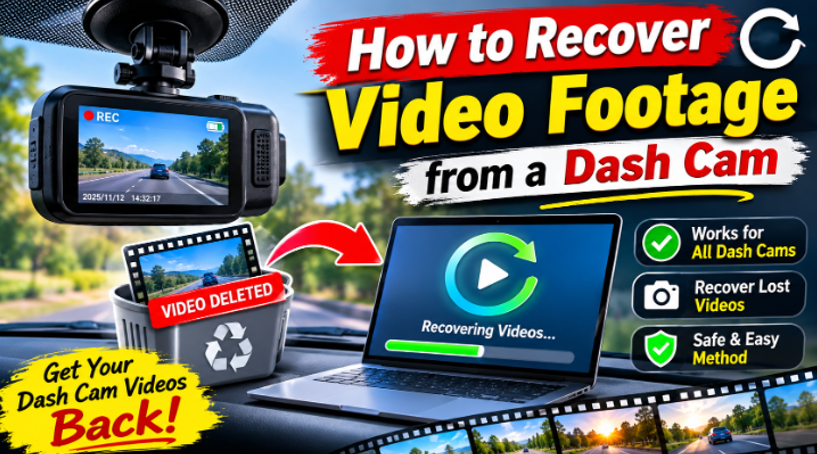
Dash cams are silent witnesses – they record the moment before an accident, a break-in, or a disputed traffic stop. That footage can be evidence, legal protection, or an insurance lifeline. And dash cams are also prone to footage loss: cards fill up, loop recording overwrites old clips, cards fail, and files disappear.
Recovering dash cam footage is possible in most cases. Here is how it works, and why you should act fast.
Why Dash Cam Footage Gets Lost
Dash cams have a specific weakness: they record constantly and overwrite constantly. That constant writing is what makes footage both easy to lose and possible to recover:
- Loop recording overwrites old clips. When the card fills, the dash cam deletes the oldest videos to keep recording – and if you did not lock the clip, it can be overwritten within hours.
- Card errors. The write-heavy workload wears out cheap cards faster than other cameras.
- Power loss during recording. A dash cam that loses power mid-write leaves an incomplete file.
- Accidental deletion or formatting. Cleaning the card can take footage with it.
The urgency is different from other recovery: a dash cam that is still running may overwrite your footage within days or even hours.
Step-by-Step: Recover Dash Cam Video
Step 1 – Stop Recording and Remove the Card
Turn off the dash cam or power it down. Take the SD card out immediately. If the camera keeps recording, it keeps overwriting – and your footage may be next.
Step 2 – Connect the Card to a Computer
Use a card reader to connect the card to your computer. Do not put the card back in the dash cam, and do not record anything else on it.
Step 3 – Scan with Recoverit
Wondershare Recoverit handles dash cam SD cards with AI device recognition, adapting the scan to the card’s structure. The same engine powers the Recoverit platform, used by more than five million people for evidence-grade and personal video recovery.
1. Launch Recoverit and click SD Card Recovery.
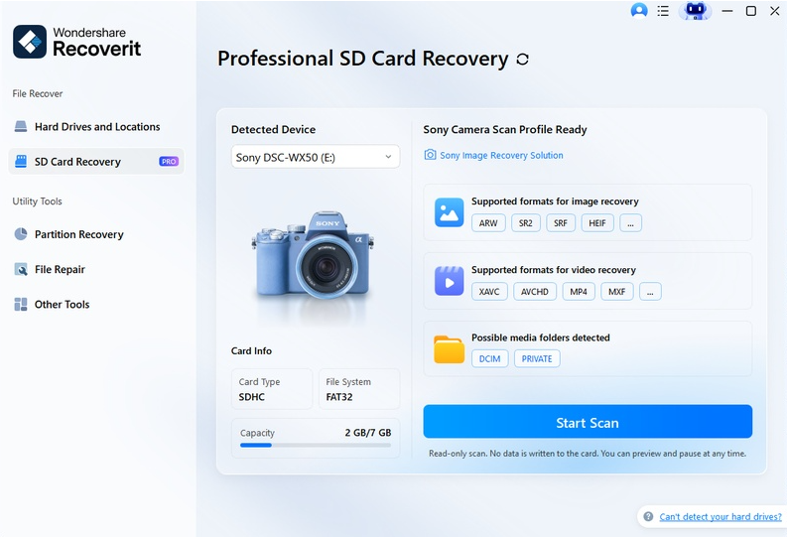
2. Select the dash cam card and click Scan.
3. For overwritten or fragmented clips, run the deep scan – loop recording produces fragmented files that need fragment-level recovery.
Step 4 – Preview and Recover
Filter by video type and preview the clips – Recoverit plays video previews so you can identify the moment you need. Select the footage and click Recover, saving it to a different drive than the card.
The video recovery module covers the footage side of the workflow.
The Loop Recording Problem
Dash cams are built around loop recording, and it changes recovery in two ways:
- Locked clips are safe. Dash cams mark locked events as protected, and those clips are not overwritten in normal use.
- Unlocked clips get overwritten fast. If your footage was not locked, it may already be partially overwritten – which makes a deep scan and quick action essential.
The practical rule: if the footage matters, pull the card now. Every hour the dash cam runs reduces your chance.
What If the Footage Was Overwritten?
Partially overwritten video is often still recoverable – the surviving fragments can be reassembled, and the footage may come back partially or fully. Two options:
- Deep scan + Enhanced Recovery. Recoverit’s fragment-aware recovery rebuilds overwritten clips from surviving pieces.
- Video repair. A recovered clip that will not play can be repaired; Advanced Repair uses a sample clip from the same dash cam.
Dash Cam Footage as Evidence
If you are recovering footage for an insurance claim, a police report, or a legal dispute, a few extra steps matter:
- Document the recovery. Note the date, the recovery tool, and the original filenames – a clean chain of custody strengthens the footage’s value.
- Keep the original files untouched. Copy recovered footage to a second drive, and work from copies.
- Save the unrecovered card. Do not reuse or reformat it until the matter is closed; a second recovery attempt may find more.
- Export in the original format. Re-encoding footage can raise authenticity questions. Keep the recovered MP4/MOV files as they came out.
For personal dash cams, this rigor is optional. For anything that may end up in front of an insurer or a court, it is the difference between footage that helps and footage that gets questioned.
Preventing Dash Cam Footage Loss
- Lock your clips. Use the dash cam’s lock/event button when something important happens.
- Use a high-endurance card. Dash cams need cards rated for constant writing.
- Back up after incidents. Copy footage to a computer immediately after an accident or dispute.
- Check the card regularly. Replace cards that show errors.
- Keep the card for the camera. Don’t reuse a dash cam card for other recording.
Conclusion
Dash cam footage is recoverable – but the clock is running, because loop recording overwrites constantly. Power down the camera, pull the card, and scan it with a tool built for video. With Wondershare Recoverit, you can recover dash cam videos with AI device recognition and fragment-aware recovery, then repair any clip that comes back damaged. The evidence you need may still be on that card – and it is worth recovering fast.



 How to Recover 4K Drone Footage after a Crash